Replay
The replay control panel is only displayed if one or more runners have been selected for replay on the Results tab. It is shown along the bottom of the screen.

A runner can be selected for replay even if they have not drawn or uploaded a route. Replay will show them going in a straight line between controls.
Replay clock

The clock displays elapsed time or real time depending on which relay option is chosen. You can use the slider to move to a specific time in the replay.
Replay controls

These controls allow you to start and stop the replay and control the speed that it runs at.
Replay type

The three options available are:
- Mass start
- Real time
- By control: This simulates a mass start for each control in turn. Once all runners reach a control the replay halts and you need to press the
Playicon to start the next leg.
Replay from

If you have selected By control then an icon is displayed that allows you to select which control to start from.
Tails display
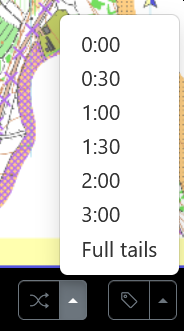
The tails icon controls the display of tails on the replay. Tail length of a specific time can be set, or Full tails can be selected which shows a full line from the start to the current position.
Labels

The labels icon allows selection of how labels are shown the display:
- Full name
- Initials
- No label.